I received the latest issue of the Windows Secrets newsletter. I printed it out and read through it, and there was one link I wanted to follow. I use Outlook 2003, and when I clicked on the link, I had my first encounter with Microsoft’s new anti-phishing mechanism. A message popped up telling me the links might not be safe:

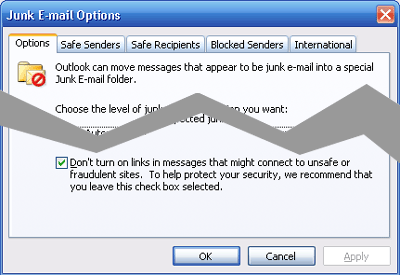
I checked in the Options, and in the Junk E-Mail Options there is a check box to enable this feature:
I clicked the Infobar and added the WindowsSecrets.com domain to my safe senders list:

Unfortunately, the Infobar was still telling me I had to click there to turn on links. I tried adding the sender (the entire email address) and I still couldn’t click on links. I had to explicitly turn on links to make it work. Overall, I think the anti-phishing is a good thing (just like how images aren’t loaded by default), but I would have expected it to work after adding the domain to my safe senders list. If the feature is a hassle to use, then people just won’t use it and will end up turning on all the links.