|


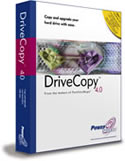 PowerQuest's
DriveCopy
4.0 is a tool very similar to PartitionMagic
and Drive
Image, but much simpler. It is mainly to be used when a new
hard drive is purchased, and all you want to do is copy the entire
contents of one drive to another. PowerQuest's
DriveCopy
4.0 is a tool very similar to PartitionMagic
and Drive
Image, but much simpler. It is mainly to be used when a new
hard drive is purchased, and all you want to do is copy the entire
contents of one drive to another.
There are 2 ways to start DriveCopy. You can boot from the CD
(which uses Caldera DR-DOS to create the operating environment)
or you can install the program to your hard drive, and then run
a "Virtual Boot Disk". In either situation, you are
given 3 options:
- Verify Disk Configuration
- Entire Disk to Disk Copy
- Selective Partition Copy
The test system had a 10GB HD that contained only a 2GB FAT 16
partition with 488MB used. I wanted to transfer the contents to
an empty 4GB hard drive. I chose option 2 (Entire Disk to Disk
Copy) and the process only took 3 minutes. The 4 GB hard drive
had a 2GB FAT 16 partition with 488MB used. Since a computer can
only have one bootable partition, the old drive's (10GB) partition
was hidden, and the new drive (4GB) was marked as active.
Once I verified that the hard drive was up and running, I then
reversed the test (copied the 4GB drive to the 10GB drive) and
ended up with the same result.
The product appeared to work perfectly, according to its purpose.
But you must remember that it does no more. The 2 GB partition
on the old disk when copied created a 2GB partition on the new
disk. I did not have an option to make the partition bigger. Also,
partitions can only be copied to unallocated space (unpartitioned
space). If all you want to do is copy one disk to another, then
DriveCopy 4.0 would be fine. If you want to resize partitions
at all, then you would need PartitionMagic. If you want to keep
an image of the hard drive that you can restore, then you would
need Drive Image.
DriveCopy
4 retails for a suggested price of $49.94, but can always
be found for less.
Return to FreeHelp Software
Reviews Home Page
Return to the FreeHelp Headquarters
Return to PCIN.net Home Page
|



