|


46666, 49333, 56k. What do all of these numbers mean? Everyone
talks so freely about how fast they connect to the Internet. Obvioulsy,
the higher the number, the faster the connection. But are you
really connected at this speed? Not necessarily. This is the connection
speed to your ISP. Your download speeds may be different, depending
on Internet traffic, and time of day. How can you know for sure
what spped you are downloading at?
This is where DU Meter can be very useful. DU Meter (Dial Up
Meter), by Hagel Technologies, is a handy utility that does many
things, the most notable being:
- monitors transfer rates by showing you a graphic or text display
- allows you to keep track of how much you have transfered over
a given period of time
- has a stopwatch where you can time how long it takes to transfer
a file
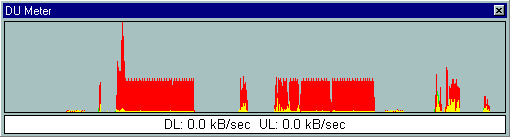
The display can be in the form of a graph. The graph is updated
in real-time (you can customize how often the graph is updated).
This allows you to see how consistent your connection is. You
can also see quickly if your download is stalled.
The display can also be in a text-only form. This allows you
to save screen space, but still see your statistics.
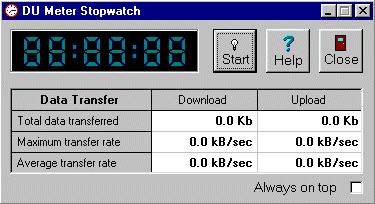
One of the handiest utilities is the stopwatch. When you start
that big download, you can start the stopwatch, and find out exactly
how long it takes. This can be very useful if you are tweaking
your system and want to compare results. For instance, if you
have used TweakDUN to change the MaxMTU settings, using DU Meter
would be a great way to see the difference.
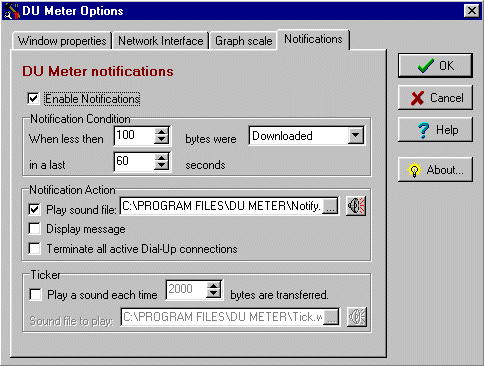
The program has many ways that you can customize the interface.
You can choose how often the displays are updated. You can also
choose to have a sound play when your transfers get below a certain
speed, or each time another xxxx bytes of data is transferred.
One other way that you can use DU Meter, is to see how often
transfers are taking place without your knowledge. For instance,
if you are connected, but not visiting any web sites, then there
should be very minimal activty. Maybe your email program is checking
for mail, but the tranfer for this is almost 0. If there is extensive
activty, then there may be a a site that is trying to access your
computer, or you are being forced to download something. This
program gives you more control over your tranfers.
DU Meter can be purchased from RegNet
for $19.95 US.
Return to FreeHelp Software
Reviews Home Page
Return to the FreeHelp Headquarters
Return to PCIN.net Home Page
|